
Coordinating meetings, deadlines, and project timelines inside Microsoft Teams can quickly become messy, especially when teams rely on multiple calendars and communication tools.
While Microsoft Teams includes a built-in calendar, many organizations use dedicated shared calendar apps to manage team schedules more effectively. These apps help teams visualize availability, share calendars with stakeholders, and organize events directly within Teams channels.
In this article, we’ll look at six of the best shared calendar apps for Microsoft Teams in 2026, highlighting their key features and what makes them useful for team collaboration.
Shared Calendar & Planner
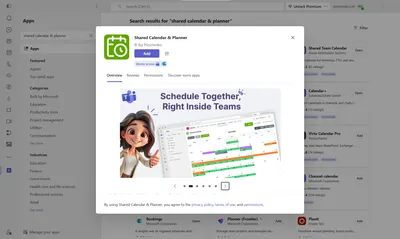
Shared Calendar & Planner is a newly released app designed to bring shared calendars and scheduling directly inside Microsoft Teams. It allows teams to manage events, meetings, and deadlines without leaving their workspace. The app is easy to use, requires no complex setup, and integrates seamlessly with Teams while offering a rich feature set for team calendar management.
Key Features
Shared Calendar & Planner is fully embedded in Microsoft Teams. You can add it to chats, channels, or meetings. Events are displayed in a shared calendar view, and you can easily create, edit, and organize them in real time. Each calendar can be customized with colors and categories to match your team’s workflow and preferences.
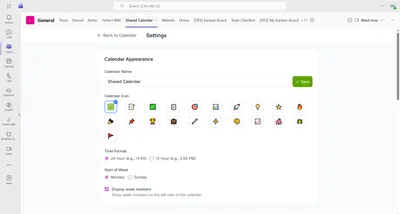
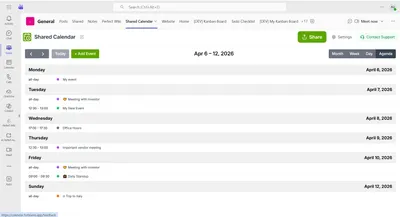
You can choose the preferable view for you calendar: agenda, day, week or month.
Task Assignment and Collaboration
Events can be shared with team members directly from your Microsoft 365 directory, ensuring everyone stays aligned. You can attach files and notes to events, keeping all relevant information in one place. Calendars can also be shared during Teams meetings, enabling real-time coordination without leaving the call.
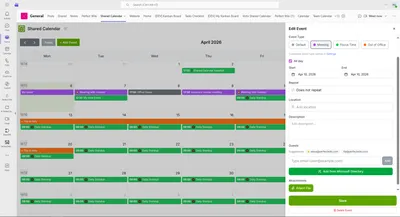
Moreover, it's possible to set reminders, recurring events, and categories for each calendar entry, so you never miss an important meeting or deadline. Sharing calendars is simple, you can add them to Teams channels, send links, or make them accessible across your organization.
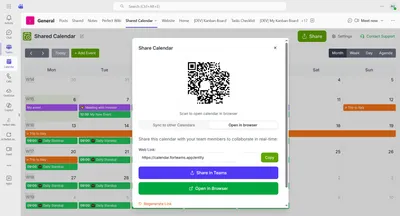
The app provides a clear visual overview of team schedules, helping you manage workloads, plan ahead, and avoid conflicts. It’s ideal for teams looking to streamline planning, coordinate activities, and maintain visibility across all events and deadlines.
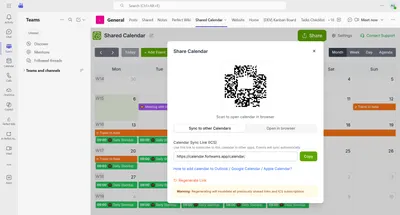
You can as well sync your Shared Calendar & Planner to other calendar, like Outlook, Google or Apple Calendar.
Pricing Structure
The app offers a free plan with some limitations. Paid plans start at USD 3.99/month for a single calendar with unlimited users or USD 39.99/month for unlimited calendars, users, events, files, and assignees - billed annually. See all the details here.
Verdict
Shared Calendar & Planner combines simplicity with powerful scheduling and collaboration tools. Its native Teams integration eliminates the need for external calendar platforms, while shared visibility, real-time updates, and event management features make it perfect for organized teams.
For teams struggling to keep schedules aligned across multiple tools, Shared Calendar & Planner brings clarity, coordination, and efficiency directly to where the work happens. So, try Shared Calendar & Planner for Teams today and see how it helps you stay on top of your daily planning and workflows.
Virto Shared Calendar
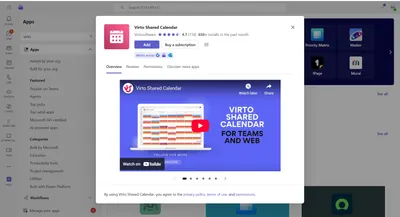
Virto Shared Calendar is a popular Microsoft Teams app designed specifically for creating and managing shared team calendars directly within the Teams interface.
Users can create calendars, assign tags to events, and share schedules with internal or external users without leaving Microsoft Teams. The app also offers real-time synchronization across devices to keep everyone updated.
Key features
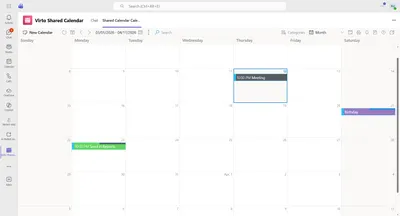
Virto is a shared calendars directly inside Teams channels. You can add color-coded tags for events and tasks to distribute the work. it is also possible to add attendees directly from channels or chats. Virto also offers a real-time synchronization across devices, so you can check it from a mobile device, laptop etc.
It is also possible to shar a calendar with internal and external users. Virto Shared Calendar is lightweight and easy to deploy, making it a good choice for organizations that want a dedicated calendar tool fully integrated into Microsoft Teams. The Virto Shared Calendar can also be imported into your Outlook.
Limitations
On the Free plan calendars are limited to 15 entries per calendar. However, this app is rather limited in functionalities, reporting and other advanced automation features are limited compared with project-management tools. Calendars live in different chats and channels that can make people get confused or lost in all the tabs they have to manage. There's also no built-in task management integration. Moreover, the notification system in the standalone app is not perfect and works better with the Reminders app from the same team, that means you need to apps to be on top of the calendar items you created. This way the process gets rather bulk.
Also, some users have reported issues with the app disappearing or failing after Microsoft Teams updates, requiring administrative intervention (like re-adding it via the app catalog) to fix.
Pricing
There's a free plan up to 15 calendar entries. The paid plans start from USD19 per user/year with unlimited entries for creators/editors. Team plan is USD 299/year for unlimited users and calendar entries.
Verdict
Virto Shared Calendar is a rather simple to use application, however, it lack some task management features and seems a bit primitive. Also, the reported issue from the tech side of the app are serious flaws as you do not want to get cut off from your calendars and tasks. The need to strengthen the notification system with another Virto group app is also not the best, especially for small teams who can have hard time managing so many apps at once, especially when having multiple calendars in different channels.
Calendar Pro
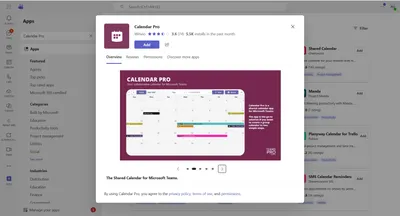
Calendar Pro helps teams merge multiple calendars, including Outlook, Gmail, and ICS calendars, into a single unified view inside Microsoft Teams. It’s particularly useful for organizations juggling several calendar sources.
Key features
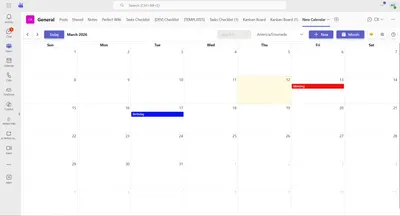
Calendar Pro offers seamless two-way synchronization with Outlook and Gmail, ensuring your calendars are always up to date across all devices. You can view multiple calendars in a single dashboard, making it easy to manage personal, team, and project schedules at a glance. Color-coded events and tags help to quickly identify priorities, while event notifications directly inside Microsoft Teams keep users informed without switching apps. Additionally, you can add users directly from the Microsoft 365 Directory.
Limitations
Though the app is aligned with Microsoft teams, it has some limitations. Advanced features such as automation and integrations require paid plans. Pricing varies based on the number of seats and that might be inconvenient for small teams with a limited budget or large companies that have to onboard many team members to have access to a calendar.
Some configuration may require Microsoft Teams admin access and that is not always possible, so regular users get a limited experience with the app. Moreover, some users face loading issues and it is very disturbing behaviour for a calendar app that should always be at hand in order not to miss important meetings or deadlines.
Pricing
Different pricing tiers are available, starting from the free plan, that is really limited in features. Advanced plans include advanced events, recurrence, and customization, as well as API integration, and Outlook sync. The pricing plans start from USD 5 per user/month.
Verdict
the app seemed promising, however, the poor user experience and inefficient support, reported by the users are for sure do not add to the experience. Also, the features are rather limited on the basic plans, no option to edit recurring event for example. This app is not the best fit if you want to keep track of your company's performance and projects.
Shared Calendar for Microsoft Teams
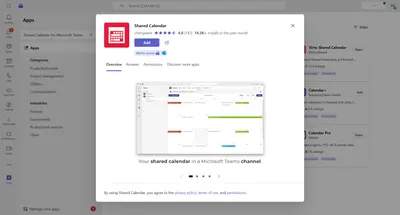
Shared Calendar for Microsoft Teams provides a dedicated calendar that teams can use to track milestones, PTO, events, or project timelines without cluttering personal Outlook calendars.
Key features
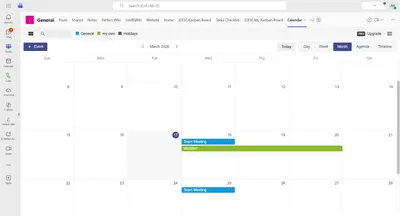
Shared calendars allows to sync several sub-calendars for teams or projects, that makes it very convenient, so you do not have to switch tabs.
You calendars are shareable via public links, so you can easily send someone you availability slots for event coordinating. A calendar unit can also be exported to PDF for reports or printing.
Mobile access through Microsoft Teams is also an advantage, as you can check your calendars from any device.
Limitations
Free version is limited to 15 calendar entries, so sometimes you do not have an option to try it to the full capacity. Also there was no option to add assignees, so Shared calendar appeared to be rather impersonal. It's just up to the users if they open a tab or not. And that is a big no for a shared calendar app.
Pricing
Pricing varies depending on team size and billing cycle, according to the information, a subscription starts from USD 24 per user/annually. The free plan is available but is very limited.
Verdict
This app is not a fit for handling complex tasks and project. Calendar sync is not on the best level, there's no option to add assignees to events and that is a crucial point for a shared calendar. Here the simplicity didn't help to win the users over.
Shared Team Calendar
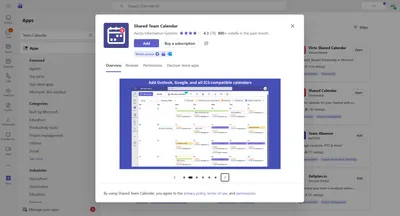
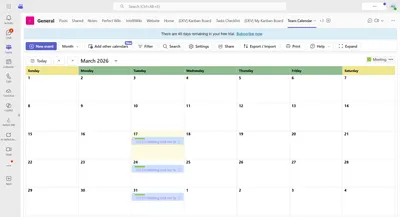
Team Calendar is a shared calendar app that focuses on visibility across departments. Teams can track events, deadlines, birthdays, and vacations in one shared dashboard inside Microsoft Teams.
Key features
Shared Team Calendar is a centralized team calendar dashboard that integrates with Outlook, Teams, and ICS calendars.
Users get event alerts and notifications right in Microsoft Teams. It is possible to synchronize different types of calendars, so you never miss an event.
Shared Calendar is useful for PTO and vacation tracking. What is convenient for large teams, it supports unlimited users on team calendars.
Limitations
The main limitation here is the lack of customization like in enterprise scheduling tools. Some advanced integration require higher-tier plans and that might happen unexpectedly. Also, it would be really grate to have permissions, so not everyone could edit and manage events. It would be great to have some users as readers. Otherwise, the app is steady.
Pricing
The free trial is pretty long, 45 days is enough to test everything out. After that the paid plan is USD 99 per calendar a year. That is a good scheme, as the calendar can be used by large teams or smaller companies and the price won't depend a lot on the user count.
Verdict
This app is very logically structured and is a very robust tool for managing your tasks and meetings. Apart from some minor flaws in terms of permissions and advanced options - it is pretty good for day-to-day workflow tracking.
Calendar +
Key Features
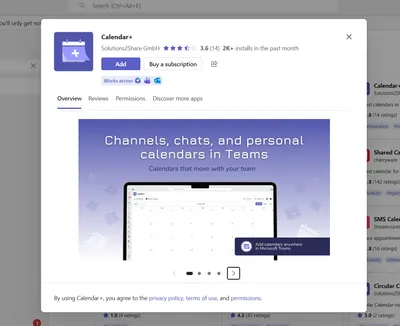
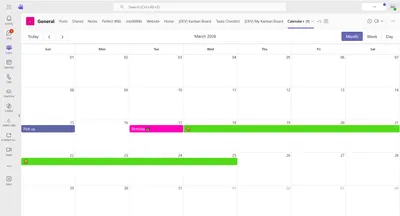
Calendar + supports team scheduling for meetings, shifts, events, and PTO, including recurring or one-time events, making it ideal for workforce and shift management. It's possible to assign categories such as PTO, projects, or roles with color-coded events for quick visual tracking. Integration across the Microsoft ecosystem, including Teams, Outlook, and Microsoft 365, enables seamless management via Teams admin controls. Additionally, calendars can be printed for offline or external visibility, useful for classrooms, shifts, or boards.
Limitations
Advanced scheduling features are limited, with no automated booking links, AI-based conflict detection, or resource optimization, so functionality is primarily basic. There is also no built-in reporting or productivity analytics on Calendar +, and the system emphasizes visibility and coordination rather than deep calendar automation, meaning it may not fully replace enterprise workforce management tools. Again, there's no option to add assignees to the events. One can't also see the agenda list.
Moreover, it required sign in as well as permissions access, so the adoption process won't be as smooth as with other calendars.
Pricing
The paid plans start from USD 3 per user/month and the trial plan is 1 month long, so you can actually see if that is a fit for your team or not. The lack of pricing plans varieties is also not really comfortable.
Verdict
the app is very limited, the adoption process was a bit tedious. There are smarter calendars that have a nicer pricing scheme with more to offer. This one is a fit for individual usage.
Final Thoughts
Choosing the right shared calendar for Microsoft Teams depends on how your team manages schedules and collaboration. Among the shared calendar apps for Microsoft Teams, Shared Calendar & Planner clearly stands out. Its full Microsoft Teams integration, intuitive and customizable interface, direct Microsoft 365 assignment, and real-time collaboration make scheduling event effortless. While other tools either lack native embedding or require complex setups, Shared Calendar & Planner keeps everything organized, visual, and easy to use. For teams seeking efficiency, visibility, and seamless collaboration within Microsoft Teams, it’s the best choice. Try it out today and experience the clarity and control it brings to your team’s scheduling.