In today’s fast-paced architectural industry, access to accurate information can make or break client relationships. One mid-sized architectural company learned this the hard way when their internal knowledge management system began holding them back instead of supporting their growth.
The Problem: When Documentation Becomes a Barrier
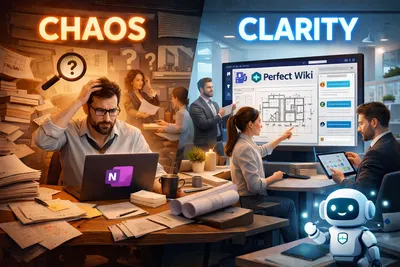
For years, the team relied on OneNote to manage their internal documentation. At first, it seemed like a convenient solution: simple, familiar, and integrated into their existing Microsoft ecosystem. But as the company grew, so did the volume of their documentation. What once worked quickly became a daily frustration.
Employees struggled to locate critical information. The search functionality often failed to deliver relevant results, leaving team members digging through countless pages and sections. Important project details, product specifications, and internal processes were scattered and difficult to navigate.
The team felt the impact dramatically. Without quick access to reliable information, advising on the right architectural solutions became slower and less efficient. Simple questions like “What’s the latest update on this project?” or “Which product fits this requirement?” turned into time-consuming searches. Additionally, that also overloaded the internal staff with basic tech and HR questions, e.g. “What is the policy for remote work?” or “How to connect a WIFI” flooded into the team's chats.
OneNote lacks any AI features for facilitating search and improve Q&A process. Moreover, the regular search is not of the best quality itself. To find the answers, users had to write a message to a chat or contact the tech admin via email and the admins needed to manually find the documents or navigate the user to the right space. It took too much time and effort.
Soon it became clear: OneNote wasn’t designed to function as a scalable, structured knowledge base.
The Search for a Better Solution
The company set out with a clear goal to find a true wiki solution that could:
- Live inside Microsoft Teams
- Provide fast and reliable search
- Be easy to navigate and maintain
- Support their growing documentation needs
- Include an AI-powered assistant for instant answers
While SharePoint was an obvious option within the Microsoft ecosystem, the team decided against it. They found it too complex to configure and maintain, requiring ongoing IT involvement that they wanted to avoid. Instead, they focused on finding a solution that balanced power with simplicity.
The Solution: Adopting Perfect Wiki
After thorough research, the company chose Perfect Wiki. The transition began with importing their existing content from OneNote into the new platform. This alone marked a major turning point, as information that was once scattered became structured, searchable, and easy to navigate. Th team was able to easily import thair content to Perfect Wiki using the bulk import feature. After that all they neded to do is to give a little touch to create a nice layoout and structure.
With adoption of Perfect Wiki it also became possible to create user groups for projects and departments, as setting access rights on the knowledge base level took just a couple clicks in perfect Wiki. After that - the users could see and use only the exact knowledge they needed without being overloaded with numerous files.
It also became easier to track outdated documents with the Perfect Wiki verification feature, so the admins were sure that all the policies and prjects are up-to-date.
But the real transformation came with integration and usability. Perfect Wiki lived directly inside Microsoft Teams, meaning employees didn’t have to switch tools or disrupt their workflow. Everything they needed was available where they already worked.
AI-Powered Knowledge Access
One of the most impactful features was the built-in AI bot.
Accessible directly through Teams chats and channels, the AI assistant allowed employees to ask questions in natural language and receive quick, accurate answers based on the company’s internal knowledge base.
Instead of searching manually, team members could simply ask:
- “How do I handle this type of client request?”
- “What’s the status of this project?”
The AI bot delivered instant answers, dramatically reducing time spent searching and increasing confidence in the information provided.
The Results: Faster Workflows, Better Decisions
The impact was felt across the entire organization:
- Customer Support teams could respond to customer inquiries faster and with greater accuracy
- Employees spent less time searching and more time doing meaningful work
- IT teams no longer had to manage a complex documentation system
- Knowledge became accessible, structured, and scalable
What was once a fragmented system became a single source of truth with Perfect Wiki.
Conclusion
This architectural firm’s journey highlights a common challenge: as companies grow, so does the complexity of their knowledge. Tools that work early on often fail to scale.
By moving away from a basic note-taking app and adopting a purpose-built wiki solution, the company didn’t just fix their documentation, they transformed how their team works. Perfect Wiki enabled them to turn information into a strategic asset, empowering employees to find answers instantly and deliver better results for their clients. And in an industry where precision and speed matter, that made all the difference.
If you face the same issue in your business, try Perfect Wiki today and see what benefits it can bring.




_ac88236a-0ebf-4829-aefb-02c514c97c8b.png&w=640&q=75)